
Post formal document(s) to a filing
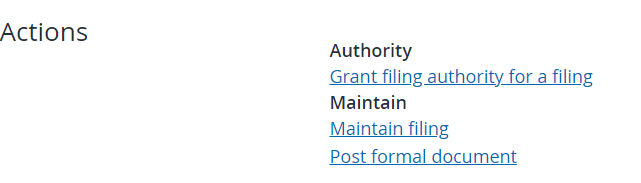
Authorized Users can upload one or more correspondence documents to a filing. The types of correspondence documents that can be uploaded varies depending on the filing type in context. To post a formal document, navigate to a filing and in the ‘Actions’ section click on the link to ‘Post formal document’ (see below).
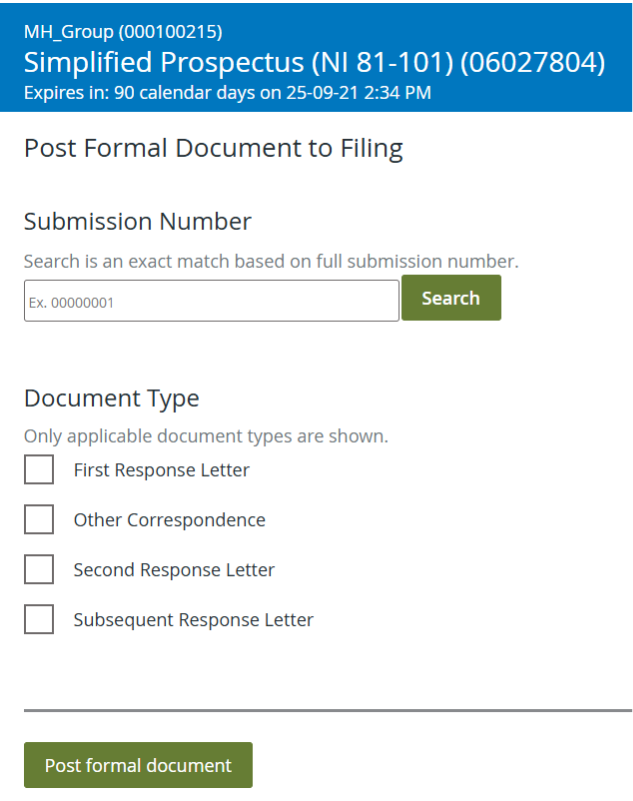
Enter the full eight digit submission number to associate your document with, then click ‘Search’ to retrieve that submission detail. Attach your document to the applicable document type, and click ‘Post formal document’.
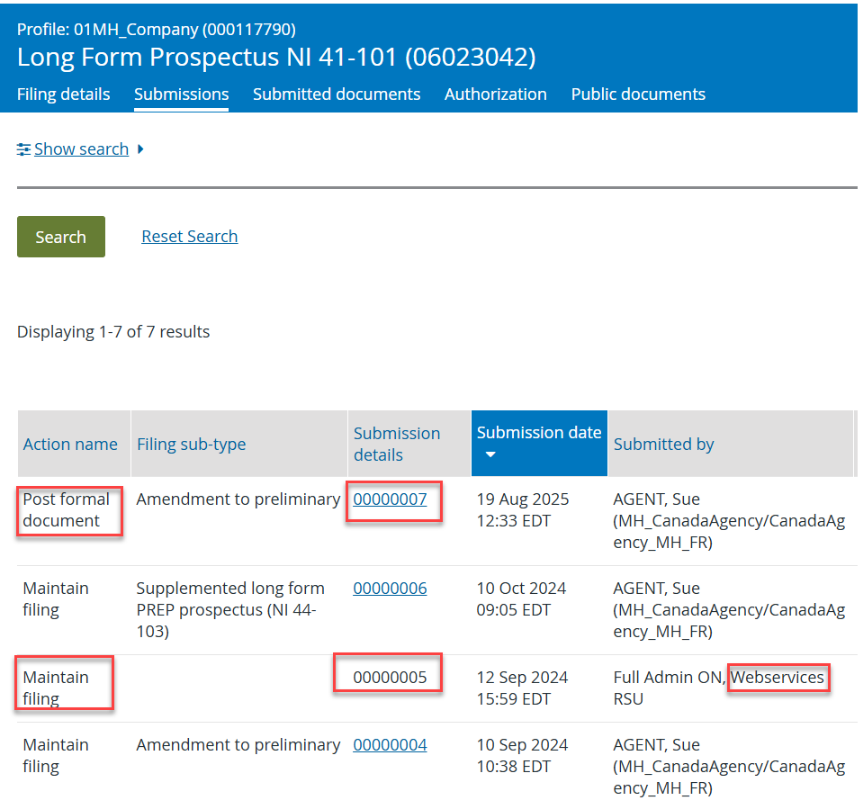
Note: Review the ‘Submissions’ tab on the filing to find the applicable submission number. The post formal document search is applicable for ‘create filing’ or ‘maintain filing’ submissions by the filer or the regulator only. The search is not applicable for any previous ‘post formal document’ submissions or any ‘maintain filing’ submissions from a regulator’s webservice.
For investment fund filings, select the submission where all the ‘investment funds included in the submission’ is selected. The formal document should be applicable to all the investment funds in the submission. There are submissions where the document filed is only applicable to a subset of funds, for example: fund facts or material contracts. You should not select that submission.
Attach your document to the applicable document type, and click ‘Post formal document’.
On clicking Submit, a notification is sent to the assigned analysts of each recipient agency.
When the analyst adds formal correspondence to the filing, an email advising formal correspondence has been posted will be sent to the main contact and the other contact on the filing. The email contains a link to the filing’s ‘Submissions’ tab. If required, the names and email addresses of the contacts can be changed by maintaining the filing.
The formal correspondence can also be accessed directly from the ‘Submissions’ and ‘Submitted documents’ tabs on the filing. Refer to Filing overview for more information on filing submissions.
Last updated on: November 17, 2025