
Create or Modify your SEDAR+ Financial Documents Email Alerts Subscription
Sign up for email alerts of financial disclosure documents.
Anyone can sign up for an email alert to receive links to financial documents for a maximum of 50 investment fund and 50 companies by providing an email address and subscription preferences.
From the SEDAR+ home page, click on the ‘Subscribe to financial document alerts’ button under the ‘Sign up for email alerts of financial disclosure documents’ section.
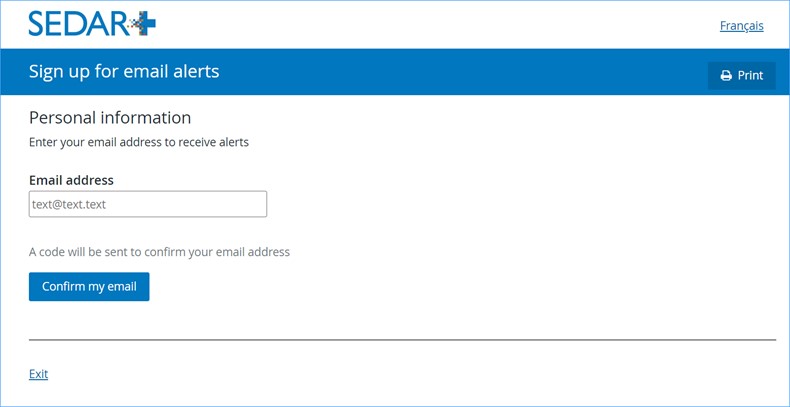
Enter your email address in the provided field then select ‘Confirm my email’. You will receive an email containing a confirmation code to enter to confirm your email address. Check your spam folder if you have not received the email within one minute. Ensure that you keep the sign up page open until you receive and enter the code. If the page is closed before the confirmation code is entered you will need to repeat the process. You may then proceed to indicate your subscription preferences. Your email address can only be used for one subscription; to modify your existing subscription, please select ‘manage email alerts’.
You do not need to include both funds and companies in your subscription; you can add funds, companies or both. Only public and reporting funds and companies will be returned in the search.
For both the funds and companies’ options, you can add 49 additional profiles by selecting ‘add another’, until you have selected a maximum of 50 funds and 50 companies.
In the ‘Financial documents’ field, you can select either ‘All documents’ or ‘Specific documents’. Note that the document option you selected will apply to all profiles identified.
If you select ‘Specific documents’, the options to choose from can be any or all of the documents shown in the below tables.
In Step 1, you may search for the fund(s) you wish to include. You can search by either the investment fund manager or the individual investment fund.
Proceed to Step 2 to add companies. In the ‘Search for companies’ field, enter the name of the company and select the company profile link if found in the search.
The list of associated company documents for each selection is:
| Financial documents | Associated documents |
| Annual Financial Statements |
|
| |
|
Annual MD&A |
|
| |
|
Interim Financial Statements/Report |
|
| |
| Interim MD&A |
|
|
The list of associated funds documents for selection is:
| Financial documents | Associated documents |
| Annual Financial Statements | ◘ Audited annual financial statements – English ◘ Audited annual financial statements – French |
| ◘ Cover letter ◘ Audited annual financial statements (amended) – English ◘ Audited annual financial statements (amended) – French | |
| Annual Management Report of Fund Performance | ◘ Annual management report of fund performance – English ◘ Annual management report of fund performance – French |
| ◘ Cover letter ◘ Annual management report of fund performance (amended) – English ◘ Annual management report of fund performance (amended) – French | |
| Interim Financial Statements/Report | ◘ Interim financial statements/report – English ◘ Interim financial statements/report – French |
| ◘ Cover letter ◘ Interim financial statements/report (amended) – English ◘ Interim financial statements/report (amended) – French | |
| Interim Management Report of Fund Performance | ◘ Interim management report of fund performance – English ◘ Interim management report of fund performance – French |
| ◘ Cover letter ◘ Interim management report of fund performance (amended) – English ◘ Interim management report of fund performance (amended) – French |
Make your selections and then select ‘Submit’. If a fund company that you selected files a financial document, you will receive an email alert that contains a link to the document. Email alerts are sent at 8pm ET.
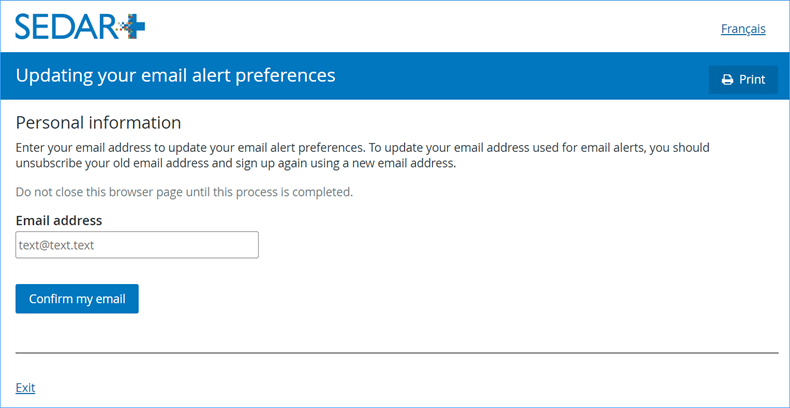
Once you have subscribed, you can modify your subscription preferences, change your email address or unsubscribe. From the SEDAR+ home page, click on the ‘Manage email alerts’ button. After modifying your subscription preferences or cancelling your subscription, you will receive an automatic confirmation email.
If you cancel your subscription, your subscription record is removed from SEDAR+. You can re-subscribe at any time.
Last updated on: March 9, 2026